
June 19th, 2026 by shreecomputers
Choosing between a gaming PC and a regular desktop computer can feel confusing, especially with so many specs, brands, and components to compare. This guide breaks down exactly what to look for, whether you should build or buy, and how to find a trustworthy PC part store near you.
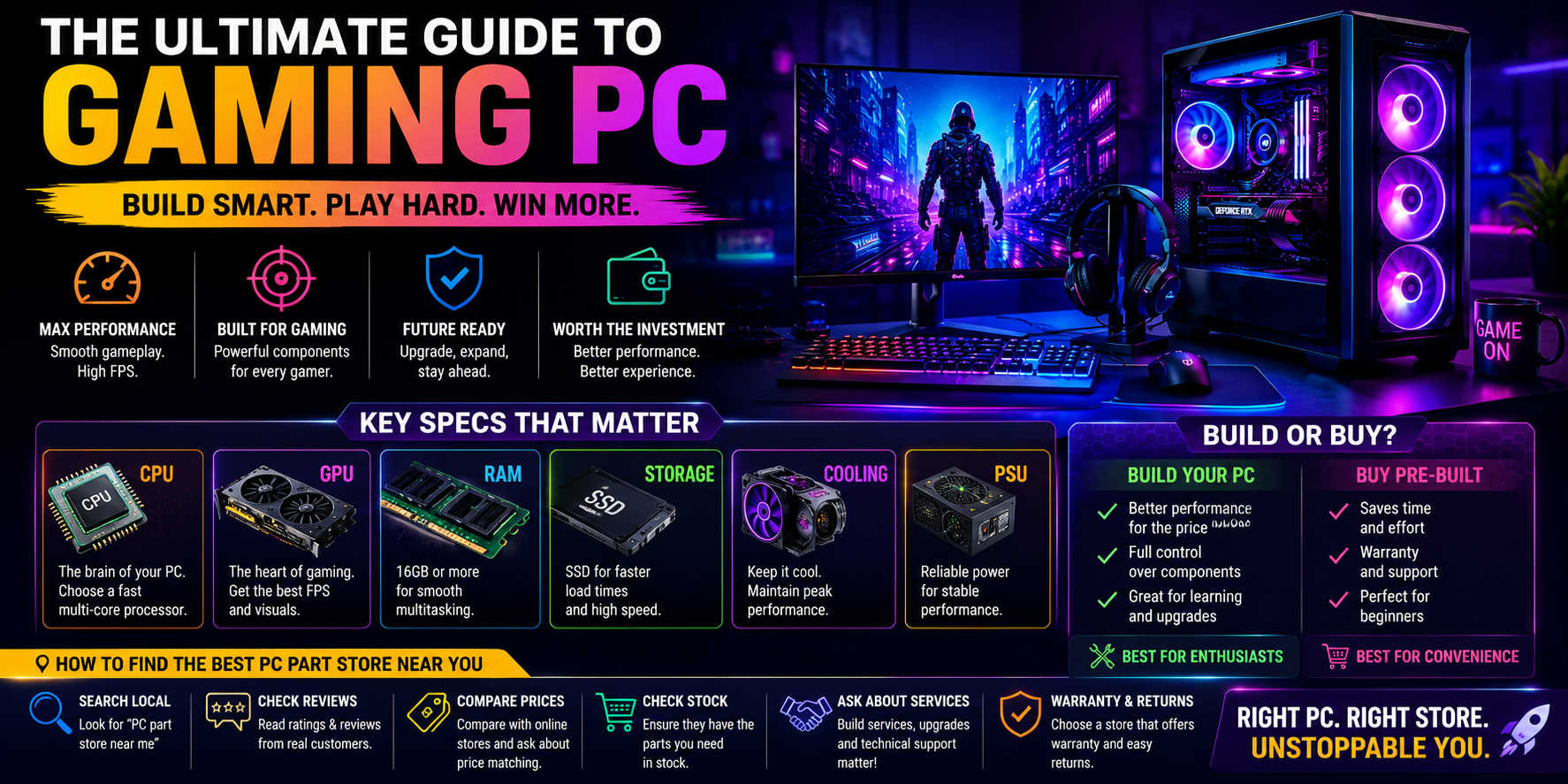
A gaming PC is a desktop computer built specifically to run modern video games smoothly at high frame rates and resolutions. Unlike a standard office desktop, a gaming PC includes a dedicated graphics card (GPU), a fast multi-core processor (CPU), ample RAM (16GB or more), and efficient cooling to handle sustained high performance. Gaming PCs can be pre-built by brands or custom-assembled from individual parts.
Every gaming PC is a desktop computer, but not every desktop computer is a gaming PC. Here’s the simple distinction:
If your main use is work, study, or browsing, a standard desktop computer is enough. If you want to play modern games, stream, or do graphic-intensive tasks, a gaming PC is the better investment.
When comparing any gaming PC or desktop computer, focus on these core components:
If you’re shopping for a general desktop computer rather than a gaming rig, prioritize:
Building your own gaming PC gives you full control over parts, often better value for the performance, and the satisfaction of a custom build. It does require some technical comfort and time.
Buying a pre-built gaming PC or desktop computer is faster, comes with warranty support, and is ideal if you’d rather not source individual components yourself. Many reputable brands offer pre-built systems tailored for gaming, work, or both.
Whether you’re building a gaming PC from scratch or just need a replacement part for your desktop computer, choosing the right store matters as much as choosing the right components. When searching for a “PC part store near me,” keep these tips in mind:
A quick local search plus a short visit to compare two or three stores near you is usually enough to find a trustworthy PC part store for your build or upgrade.
What is the difference between a gaming PC and a desktop computer? A gaming PC is a type of desktop computer optimized with a dedicated graphics card and stronger cooling for high-performance gaming, while a standard desktop computer is built for everyday tasks like browsing and office work.
Is it cheaper to build a gaming PC or buy one pre-built? Building is often cheaper for the same performance level, but pre-built systems save time and include warranty support.
How much RAM does a gaming PC need? 16GB is currently the recommended amount for smooth modern gaming performance.
How do I find a good PC part store near me? Search online for nearby stores, check customer reviews, confirm part availability, and ask about warranty and build services before purchasing.
Can a desktop computer be upgraded into a gaming PC later? Yes, many desktop computers can be upgraded with a dedicated graphics card, more RAM, and an SSD to handle gaming, as long as the power supply and case support the new parts.
Whether you’re after a high-performance gaming PC, a reliable everyday desktop computer, or simply trying to locate a dependable PC part store near you, understanding these core specs and shopping tips will help you make a confident, informed decision.